Monitor
Query Fanout
AI platforms rewrite your question into several searches before they answer. See the sub-queries behind every answer so your content targets the words the engine actually uses.
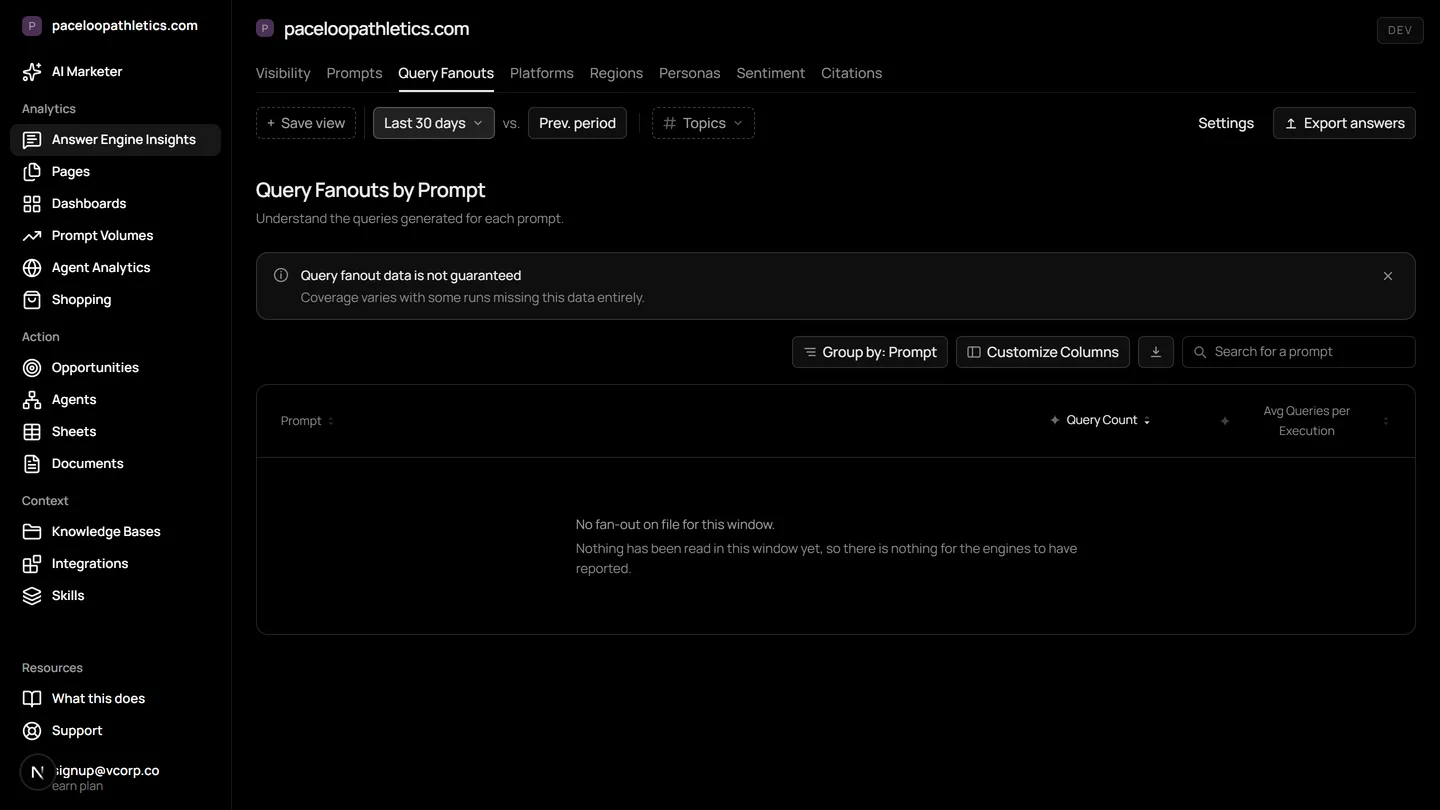
Query fan out is the process where AI answer engines like ChatGPT and Google AI Overviews rewrite a user's question into multiple, precise sub-queries to gather information. Mentionry's query fan-out tool captures and records these searches daily, showing you the exact terms each engine uses so you can align your content with the language of AI search.
Understand and control your AI presence
Sub-queries per prompt
Every fan-out captured on a reading, listed under the prompt that produced it, with how often each variation recurs.
Word transformations
Which words the engine adds, drops and keeps when it rewrites. A term that is always added is a term your page should carry.
Freshness signals
Date tokens the engine injects into its searches are flagged, because a prompt the engine keeps dating is one where a stale page loses.
Where it lives in the platform
In the product it is /dashboard/fanouts. On the trial it reads your own site from the first day; on Starter it keeps going, and on Enterprise it runs for every brand you have under one login.
What is query fan out?
Query fan out, or query fan-out, is what happens when you ask an AI assistant a question. The engine does not just search your exact words. It rewrites your prompt into several related searches, runs them, and synthesizes the results into a single answer. This is the core process behind ChatGPT, Gemini, Google AI Overviews, Claude, and Perplexity.
For marketers, this changes the game. You are no longer just targeting a single keyword. You are targeting the cluster of sub-queries the engine deems necessary to build a trustworthy answer. If your content does not speak to those sub-queries, it is less likely to be found and cited.
Why query fan out matters for AI search
In traditional SEO, a search returns ten blue links. In AI search, the answer is one paragraph with citations. The engine's choice of sub-queries determines which pages it opens and considers. If your page is not aligned with the engine's internal search logic, it remains invisible, even if it ranks well for the original prompt.
Understanding query fan out is the first step in answer engine optimization. It moves you from guessing what to write to seeing the precise language and intent the models use. This is not about gaming a system. It is about creating content that genuinely satisfies the engine's research process, making it a more reliable source.
How the query fan-out tool works in Mentionry
Mentionry reads the query fan out for you. When you add a prompt to track, Mentionry puts it to the selected answer engines once a day. It captures the full answer text, every citation, and crucially, every search the model ran on the way. These fan-out queries are stored and displayed on your dashboard.
The Query Fanout screen, found at /dashboard/fanouts, organizes this data. You see each tracked prompt and, listed beneath it, every sub-query variation the engine generated. The tool shows how often each variation recurs across readings, helping you identify the engine's preferred phrasing.
- Sub-queries per prompt: Every fan-out captured on a reading, listed under the prompt that produced it, with how often each variation recurs.
- Word transformations: See which words the engine consistently adds, drops, or keeps when it rewrites your prompt. A term that is always added is a term your page should carry.
- Freshness signals: Date tokens the engine injects into its searches, like '2026' or 'latest', are flagged. A prompt the engine keeps dating is one where a stale page loses visibility.
How to use query fan out data in your week
Open the Query Fanout screen and filter by a core product topic, like 'best project management software'. Look at the sub-queries for that prompt across ChatGPT, Gemini, and Google AI Overviews. You will see patterns: one engine might search for 'features', another for 'pricing comparisons'. Draft a section of your landing page for each distinct sub-query cluster.
For a blog article you are updating, check the fan-out for its target question. If you see new date tokens or emerging terminology like 'AI-native' being added by the engines, you know the page needs a refresh to maintain its relevance as a citation source.
When a competitor is cited and you are not, examine the fan-out queries for that answer. Identify the specific search phrases where their page appears and yours does not. This reveals content gaps, not just keyword gaps, that you can fill with a detailed FAQ or a comparison table.
How to read the query fan-out numbers
A high recurrence rate for a specific sub-query means the engine reliably uses that search pattern. It is a strong signal to prioritize content for that phrase. A low rate might indicate an experimental or less common rewrite.
Word transformations show intent. If the engine always adds 'for small business' to your prompt about accounting software, it has interpreted a broader audience need. Your content should address that segment explicitly.
Remember, these are the searches the engine ran for your tracked prompts on the day Mentionry read them. They are a sample of its behavior. An engine may generate different fan-out queries at different times or for different users. Nothing here is promised for future rankings or citations. It is a window into the engine's current research logic.
What query fan out is not
This is not a predictive tool. It records what happened, not what will happen. It does not generate fan-out queries for prompts you have not tracked.
The feature is live and fully available. There are no specific limits on its use within your plan's prompt allowance. However, it only works for engines that expose their internal search steps. As of now, Mentionry captures query fan out from ChatGPT, Gemini, Google AI Overviews, Perplexity, and Claude where available. It cannot show fan-out for engines that do not reveal this data.
Plans and access to query fan out
Query fan out is available on every Mentionry plan, including the free seven day trial. During the trial, you can track 50 prompts a day put to ChatGPT, Gemini, and Google AI Overviews, and see the fan-out for each.
The Starter plan, at $99 a month, includes daily readings on those three engines for one brand. The Enterprise plan offers readings on up to nine answer engines, with custom volumes of prompts, regions, and languages set on the quote.
Questions
ChatGPT reports the searches it ran on every reading and Google AI Mode reports its own. Perplexity reports its sources rather than its searches.
Get your brand mentioned by the answer engines
Reach millions of consumers who are using AI to discover new products and brands. The first 7 days are free and take no card; Starter is $99 a month after that, and Enterprise is tailored.