Monitor
Sentiment Tracking & Analysis
See whether AI is portraying your brand positively or negatively, which narratives are gaining ground, and what sources are shaping the story.
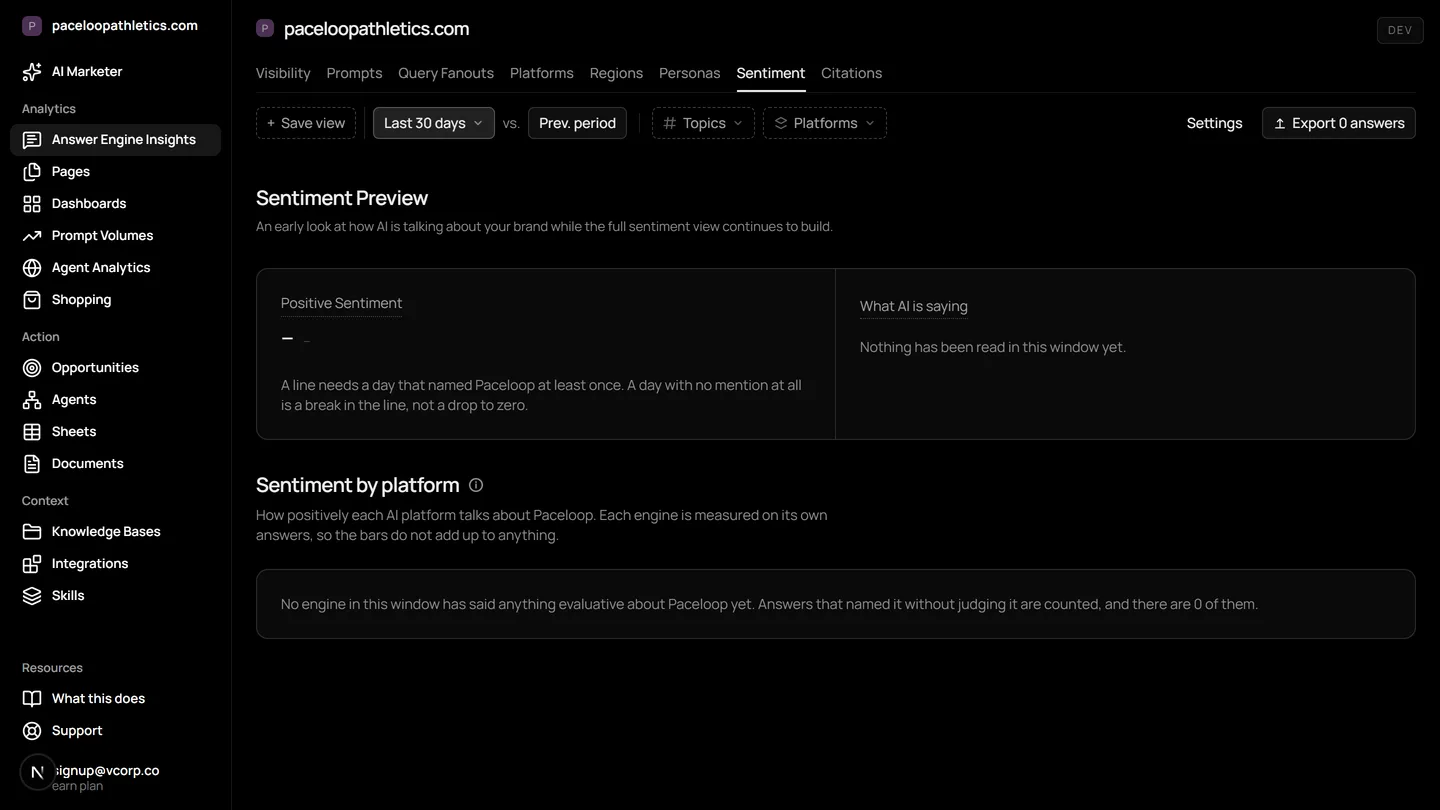
Brand sentiment in AI search is how ChatGPT, Gemini, and other answer engines describe your brand when asked. Unlike traditional search, these engines synthesize an answer from their reading, creating a single narrative. Mentionry records these descriptions daily, showing you the sentiment, the sources cited, and the narratives forming, so you can understand and influence how AI talks about your brand.
Understand and control your AI presence
Dedicated sentiment prompts
Prompts designed to extract how AI evaluates your brand on specific topics: how it is perceived, what it is known for, what buyers say, and how it compares.
Sentiment dashboard and charts
See positive, negative and trending sentiment in one view with daily tracking, by prompt, topic and platform.
Key themes and root cause analysis
Find the recurring narratives shaping how AI describes your brand and drill into the sources behind them.
Sentiment-to-action workflows
Turn sentiment data into content and outreach that reshape what AI says about your brand: brief the content team, feed negative themes into PR outreach.
Where it lives in the platform
In the product it is /dashboard/sentiment. On the trial it reads your own site from the first day; on Starter it keeps going, and on Enterprise it runs for every brand you have under one login.
What brand sentiment in AI search means now
Brand sentiment has always measured public perception. In AI search, it measures the perception an AI engine constructs and delivers directly to your buyer. When someone asks ChatGPT 'should I buy Brand X', the engine does not return ten links for the user to interpret. It reads many pages, synthesises their points, and writes a single answer. That answer has a tone, a stance, and a narrative. That narrative is your brand sentiment in AI search.
It is a synthesized opinion, built from the sources the AI has read most recently. Your brand sentiment is no longer an aggregate of scattered reviews or social posts. It is a concise, authoritative paragraph generated on demand, citing its sources. Controlling that paragraph means understanding which sources are being cited and what story they tell.
Why sentiment matters more in answer engines
On a search engine results page, a user sees multiple viewpoints. A negative blog post sits beside a positive news article and your own product page. The user pieces the story together. In an answer engine like Google AI Overviews or Perplexity, the engine does that piecing together for them. The output is one unified description.
This consolidation amplifies the impact of sentiment. A negative theme, repeated across several of the AI's cited sources, becomes the central thesis of the answer. A positive theme becomes a definitive endorsement. There is no counter-narrative presented alongside it unless the user specifically asks for another view. The sentiment in that answer is the first, and often the only, impression your buyer gets.
How Mentionry tracks AI sentiment
Mentionry records what the answer engines say about your brand every day. You add the questions your buyers ask, such as 'Is [your brand] reliable?' or 'What are the pros and cons of [your product]?'. Each prompt is put to the engines on your plan once per day. The full generated answer text is saved.
The Sentiment dashboard shows a chart of positive, negative, and neutral sentiment over time. You can filter this view by individual prompt, by topic, or by engine like ChatGPT or Gemini. Below the chart, the Key Themes analysis lists the recurring narratives found in the answer texts, such as 'praised for user-friendly design' or 'criticised for slow shipping'. Clicking a theme shows you the exact answers where it appeared and, crucially, the specific URLs the AI cited as evidence for that claim. This root cause analysis shows you which pages are shaping the story.
Workflows for using sentiment data
Open the Sentiment dashboard on a Monday. Look at the trend line for the past week. If sentiment dipped, click into that day and review the Key Themes that were negative. Open one theme and examine the cited URLs. If they are pages on your own site, like an outdated FAQ, you have a clear content task. If they are negative reviews, you can use the Opportunities tab to find a relevant journalist and pitch a story that addresses the concern.
Brief your content team using data. If a positive theme like 'excellent battery life' is trending, generate a report in Documents that shows the exact quotes from AI answers and the articles that supported them. Use this as a brief to create more content that reinforces this strength, increasing the chance AI will cite it.
Feed sentiment into PR outreach. Create an agent that monitors for new negative themes. When one appears, the agent can draft an email to your PR team or agency using the theme and citations as the reason for outreach, placing the drafted email in the Desk for your approval before sending.
How to read the sentiment numbers
A change in sentiment score means the language used in the AI's answers about your brand has shifted. A drop could mean a new critical article is being cited. A rise could mean your latest product announcement is being widely referenced. The trend matters more than any single day's score.
Remember what the numbers do not mean. Sentiment is not a measure of how often you are mentioned. You could have a perfect neutral score because you are never named. It is also not a direct measure of commercial intent. A user might get a perfectly factual, neutral answer about your brand and still be directed to buy from you. The score tells you about the tone of the narrative, not its commercial outcome.
Limits of sentiment tracking
The sentiment analysis is based solely on the answers generated by the AI engines from the prompts you track. It does not include sentiment from social media, general news crawls, or direct customer feedback unless those sources are cited in an AI answer. There is no backfill of historical sentiment data. Recording begins the day you add a prompt.
The feature does not yet provide proactive, unprompted alerts for sentiment drops outside of a scheduled agent you set up. You configure the monitoring frequency.
Plans and sentiment tracking
Sentiment Tracking & Analysis is live on every plan. You can try it free for seven days on your own site, tracking 50 prompts a day on ChatGPT, Gemini, and Google AI Overviews. The Starter plan at $99 a month includes it with daily readings on those three engines. On Enterprise plans, sentiment can be tracked across up to nine answer engines, with regions and languages set per your quote.
Questions
AI forms its views from what it reads across the web. Sentiment shows which URLs and publishers drive positive or negative themes, so you can publish owned content, reach out to cited publishers, and track the score as it moves.
Get your brand mentioned by the answer engines
Reach millions of consumers who are using AI to discover new products and brands. The first 7 days are free and take no card; Starter is $99 a month after that, and Enterprise is tailored.